

Add tinyfrog to Your Stripe Account
- Log in to your Stripe account dashboard
- If you manage multiple businesses through your Stripe account, select the appropriate business from the dropdown in the top left.

- Navigate to your Team management page and click the New member button.

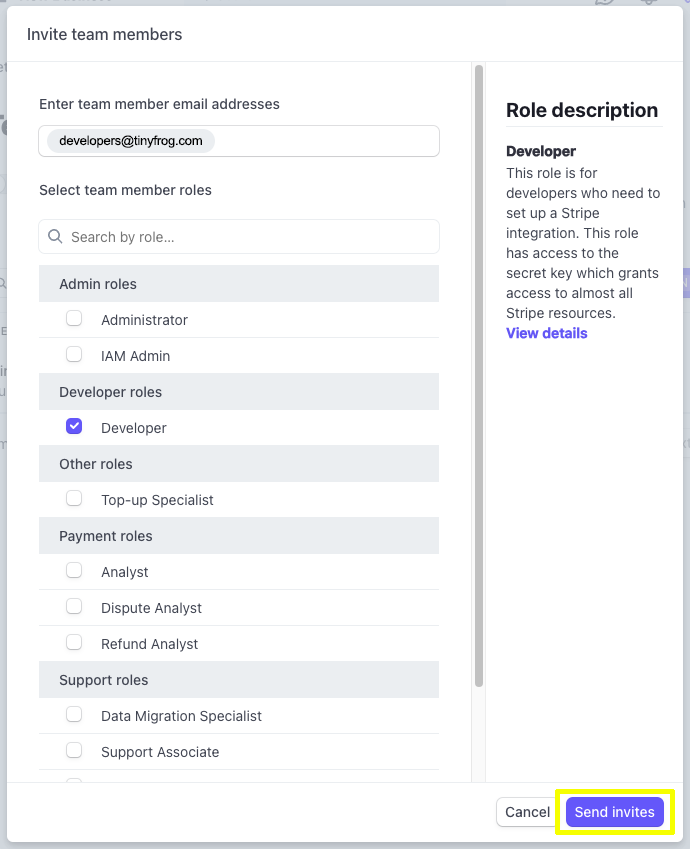
- Fill out the following information:
-
- Enter team member email addresses: developers@tinyfrog.com
- Select team member roles: Choose the “Developer” role
- Click the Send invites button in the bottom right corner of the dialog box to send Tinyfrog the invitation email.
-