

Using the My Sites Dashboard (Most Common on WordPress.com)
Log in to your WordPress.com account at wordpress.com.
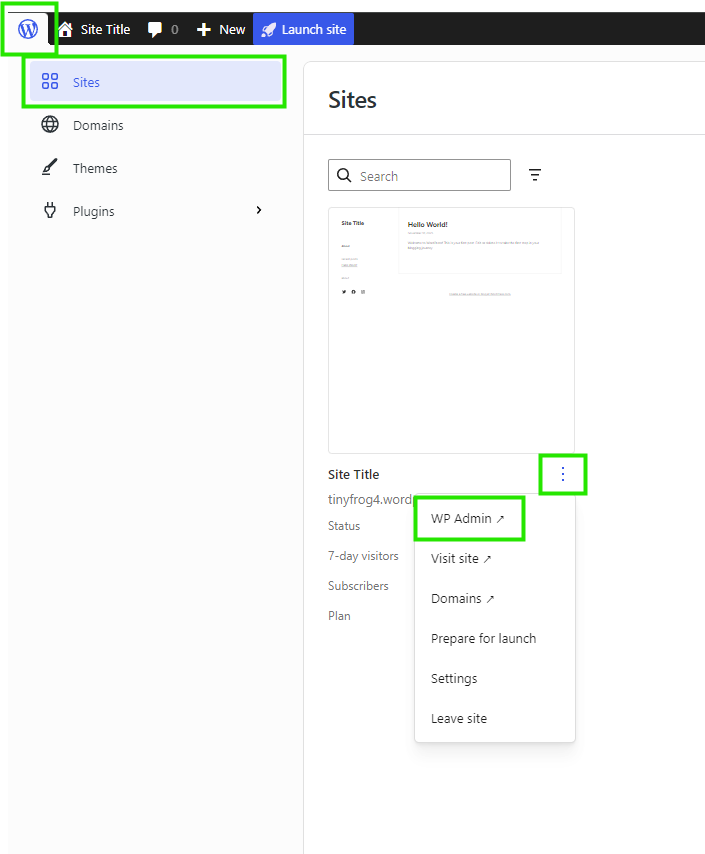
Go to the “W icon” at the top left, then click Sites and select the “…” menu and choose “WP Admin”
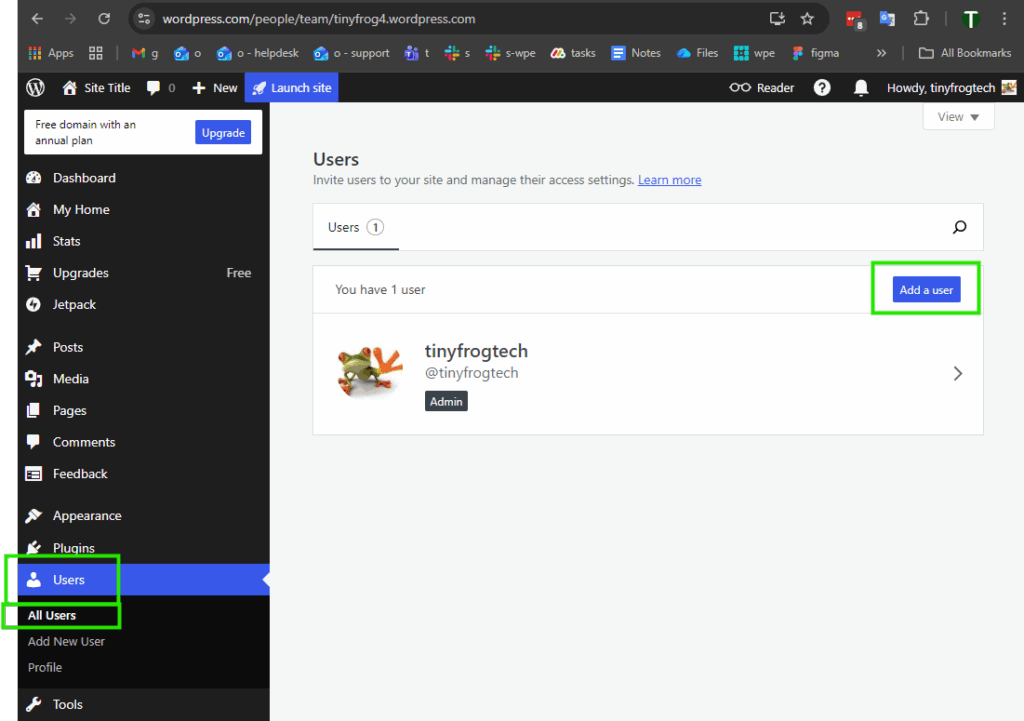
Go to “Users” -> “All Users” then click “Add a user”
From the Role dropdown, select Administrator.
Enter the email address: support@tinyfrog.com
(Optional) Check the box for External User if this is a contractor/support agency.
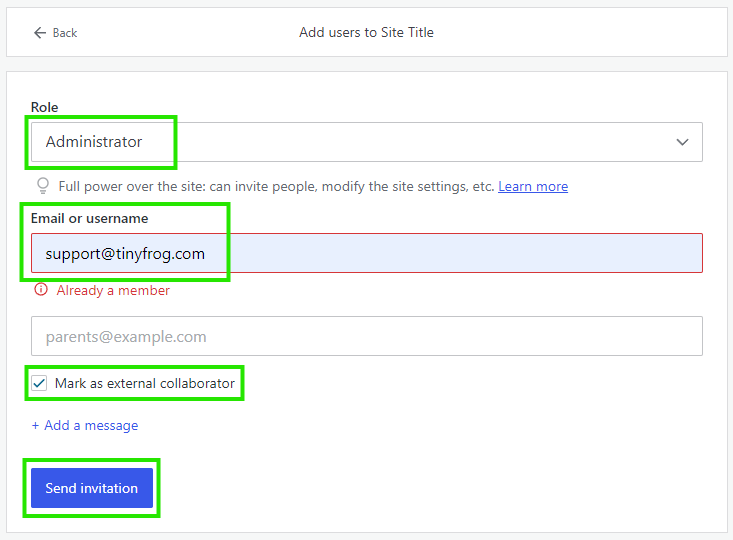
Click Send Invitation.
We will receive an email invitation.
Once accepted, we will appear in your User list as an Administrator.